
EF Core Bulk Operations: 2 Real-Life Scenarios You Should Know (.NET 10)
ZZZ Projects' EF Core Extensions Struggling with slow EF Core operations? Boost performance like never before. Experience up to 14× faster Bulk Insert, Update, Delete, and Merge - and cut your save time by as much as 94%. Learn more →
Introduction
"Bulk operations are faster" is easy to believe and hard to act on, because the real question isn't whether a bulk library is fast - it's whether the write you're about to ship actually needs one. Reach for it by default and you're maintaining a second data-access path for no reason. Skip it when you genuinely need it and you're the one standing next to a change tracker straining under a million tracked entities.
This is the follow-up to an earlier video that introduced Entity Framework Extensions and its raw benchmark numbers. This time there's no synthetic demo - two real scenarios on the same 1,000,000-row product catalog. First, a tiered pricing promotion where the discount depends on each product's current price and the tier tables come from a per-category rules CSV a merchandising team would actually hand you. Second, importing a real CSV feed file the way a supplier or partner API would actually deliver it. Every number below was measured on camera, both sides on the same machine against the same data.
🎬 Watch the full video here:
First, Do You Even Need a Bulk Library?
The naive instinct for a promotion is "knock 5% off everything in the category." If that's genuinely all you need, you don't need a bulk library or even loaded entities: the new price is one SQL expression, and ExecuteUpdateAsync sends it as a single UPDATE.
Keep that as the mental model: if the new value is expressible as one SQL expression, ExecuteUpdateAsync is the correct tool, not BulkUpdate. BulkUpdate earns its place only once that stops being true.
The Real Complication: A Tiered Plan From a Spreadsheet
Real promotions aren't flat. The one in this video is deliberately non-linear: the percentage off depends on which price bracket a product falls into, and every category has its own tier table. That's not a number you hardcode into a SQL CASE expression - it's a rules file. So the shape becomes: read the category's rule, pull a lightweight projection of just the columns you need, compute the new price per row in C#, then push the whole batch back in one call.
The naive version does the honest thing EF Core hands you: load every tracked product in the category, change Price in a foreach, call SaveChangesAsync. It works, and on a small category it feels fine. Against a category inside a million-row table it doesn't - the change tracker has to detect and translate every modified entity, and that's where the seconds go.
BulkUpdate skips the tracker entirely. Pull an AsNoTracking projection of Id and Price only, compute, then:
await context.BulkUpdateAsync(targets, options =>
{
    options.ColumnPrimaryKeyExpression = p => p.Id;
    options.ColumnInputExpression = p => new { p.Price };
});
ColumnInputExpression restricts the write to Price. Without it, a BulkUpdate built from a partial projection would happily overwrite every other column with whatever default value that lightweight object happened to carry.
The Numbers, At Two Different Scales
The video measures this twice, on purpose, because the multiplier isn't a fixed number and pretending otherwise is how you end up with a benchmark someone can pick apart in the comments.
One category, straight from the intro: the naive foreach + SaveChangesAsync version took over 5 seconds. The same promotion through BulkUpdate took 637 milliseconds - the better part of 8x, on real data, with nothing staged.
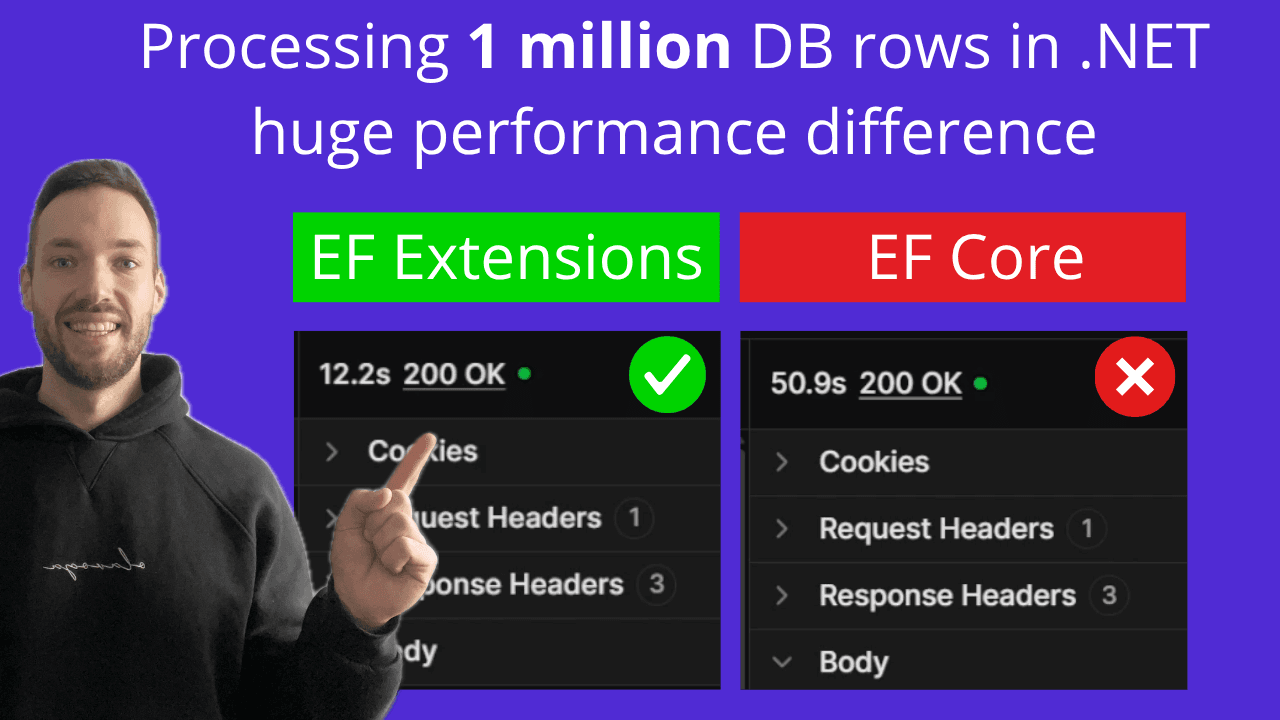
All twenty categories applied to the full million-row catalog in one call each: the plain tracked EF Core version - load everything, compute in a foreach, one giant SaveChangesAsync - took 51 seconds. The same twenty rules through a single BulkUpdateAsync call took 12.2 seconds. About 4.2x.
The lesson isn't "bulk is 8x faster" or "bulk is 4x faster" - it's that the gap depends on scale and shape, and the only benchmark worth trusting is the one you run against your own database. One honest gotcha worth repeating: the very first call after an app starts runs slower on both sides from JIT and query-plan warm-up. Don't judge either number off the first hit.
Importing a Real CSV Feed: Naive vs BulkMerge
The second scenario swaps "update existing rows" for "reconcile with an outside source" - a supplier's CSV export or a partner API dump, keyed by a business key like Sku rather than your database's internal Id. Some rows are brand-new products to insert; some are existing SKUs whose price or details changed.
A well-written naive import here isn't a strawman per-row loop - it's exactly what a solid mid-level dev would ship: read the file, preload existing SKUs into a dictionary with one query, decide insert-vs-update per row, one SaveChangesAsync at the end. That took 14.1 seconds.
BulkMerge collapses that entire decision into one call, keyed on the business key instead of the identity column:
await context.BulkMergeAsync(products, options =>
{
    options.ColumnPrimaryKeyExpression = (Product p) => p.Sku;
    options.IgnoreOnMergeUpdateExpression = (Product p) => new { p.Id, p.CreatedAtUtc };
});
IgnoreOnMergeUpdateExpression keeps an incoming feed row from silently stomping columns it has no business touching - your internal Id, the original CreatedAtUtc. Same feed, same work: 2.7 seconds end to end, 2.3 of them inside the database. Almost 7x.
But speed isn't the main argument in this scenario: plain EF Core has no built-in upsert operation at all. Preload-and-diff is the best you can hand-roll; BulkMerge is the same result as one declarative call.
The Danger of BulkSynchronize
BulkSynchronize goes one step further than merge - anything already in the table that isn't present in the uploaded source gets deleted, not just left alone. That's the entire feature, and it's also the entire footgun: point it at a partial, truncated, or empty payload and it will happily delete everything it wasn't told about, silently, with no confirmation prompt. The demo hard-codes a guard against an empty input for exactly this reason - with nothing in the source, BulkSynchronize would empty the table. A partial file is the subtler version of the same failure: it deletes every real row that didn't happen to be in the upload.
The realistic run looks nothing like that. A plausible near-full nightly resync - a 950,000-row source file - reported through the library's result-info object instead of one opaque count, came back as 50,000 inserted, 900,000 updated, and 100,000 deleted: over a million records reconciled in 18.7 seconds, three operations at once that EF Core has no combined equivalent for. The 100,000 deletions are the honest, bounded churn of a healthy feed, not a disaster.
The safer default for most "what's missing" scenarios is to not delete at all: flag missing rows as discontinued with a plain ExecuteUpdateAsync instead, and reserve BulkSynchronize's real deletes for cases where the completeness of every single run is something you actually trust.
Where Else This Pattern Shows Up
The same two shapes - bulk-modify an existing table, or upsert-and-optionally-delete from an outside source - recur constantly outside a product catalog demo: nightly ETL and reporting loads, tax or rate recalculation across pending orders, IoT and telemetry ingestion, data backfills after adding a computed column, and seeding default data for a new tenant on signup. In every one of those, the case for reaching for a library like this isn't only the raw speed number - it's that upsert and synchronize have no plain-EF-Core equivalent at all, and the alternative is hand-written, hand-maintained SQL MERGE per entity.
Get the Full Source Code
The full runnable project - the seeded million-row catalog, the tiered pricing endpoints, the CSV feed import, and the BulkSynchronize result-info wiring, all working end to end - is available to Patreon supporters. If you want to run these benchmarks yourself instead of piecing them back together from the walkthrough above, you can find it on Patreon.